
In the Banquet Hall Lounge, you have a brick chimney which has a TV screen on it. On this screen, you can watch normal UK TV (which is also recordable), Amazon, Netflix and you can watch DVD films.
Both the DVD player and the Humax recordable FreeSat TV device are housed in the Media Cupboard, the oak cupboard behind the sofas.
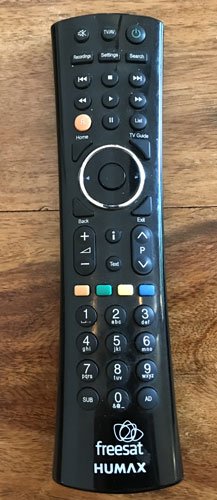
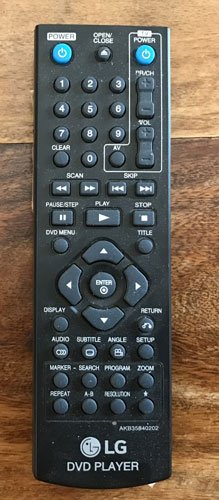
For the devices that are in the cupboard (Humax FreeSat, DVD and Audio Sound System) you will need to point the remote control back towards the cupboard, rather than at the TV.
Remote Controls
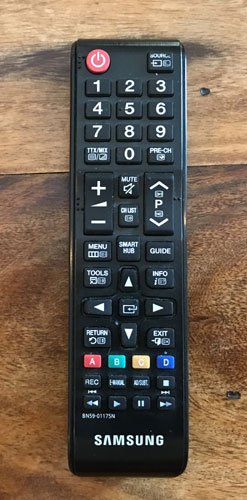
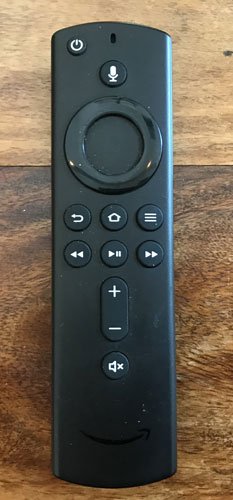
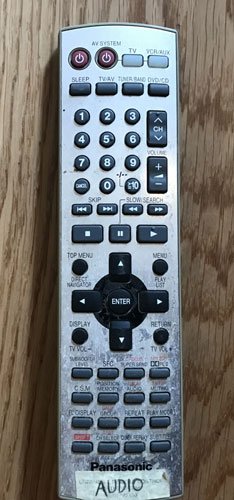
The Samsung remote is for the screen itself, on the chimney. Turn the screen on using this, or with the Amazon Firestick remote.
With the Amazon Firestick attached to the TV you can watch Amazon Prime Videos and Netflix.
There is also a Chromecast device attached to the TV, so you can broadcast from your phone or tablet.
For both Amazon and the Samsung remote, point the remote at the TV.
Humax FreeSat TV
To watch normal TV from England and around the world (what you might get on Freeview in England), this Humax FreeSat is what you need. You can program it to record any upcoming programmes using the TV guide. Turn the Humax on (point the remote at the Media Cupboard), then using the Samsung controller, switch the input to the correct HDMI source. Additionally, see below about the HDMI Switch if this does not work (it may be inputting from the DVD player).
Bluetooth Headphones
There are 4 headphones which you can use, which gives non-watchers silence from the TV noise, and gives TV watchers great sound. Watch this video to learn more.
DVD Player
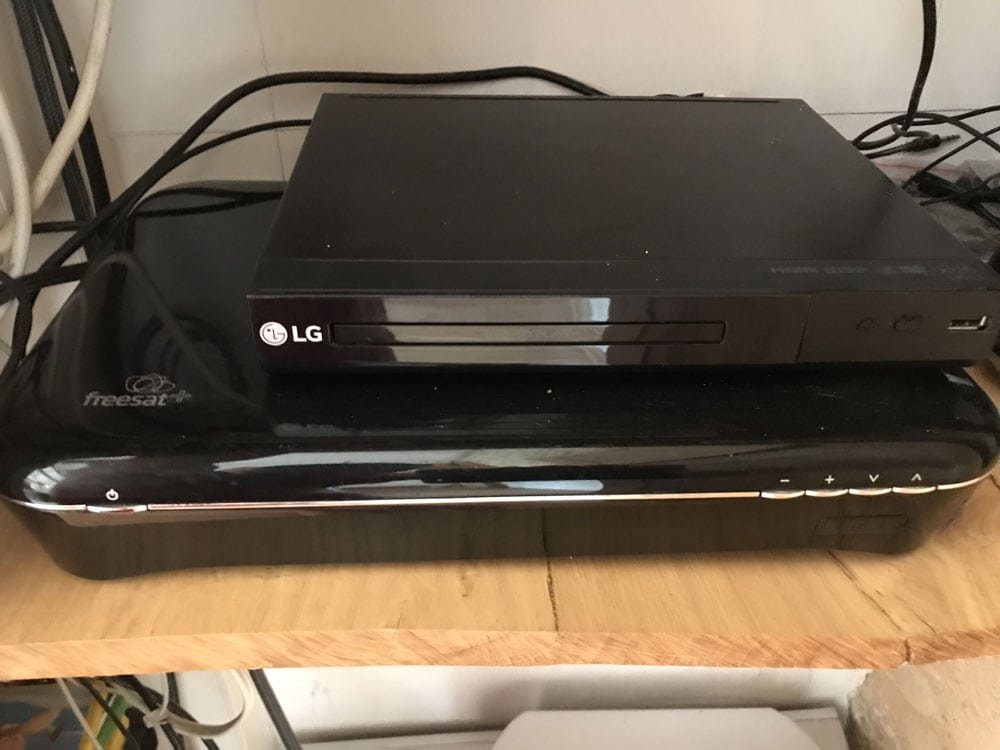
While most of what you want to watch is probably on other devices, if the internet is being sketchy and wont download Netflix etc, you can watch a DVD no problem. We have a range of DVD from kiddy films, upwards in age appropriateness (please police the DVD for your young ones, for age appropriateness). There are DVDs in teh Media Cupboard and also in the Games Room Cinema.
To play a DVD, first turn on the DVD player in the Media Cupboard, insert your DVD and press play. Then turn on the TV and using the remote control, change the input channel to the correct HDMI channel for the DVD player.
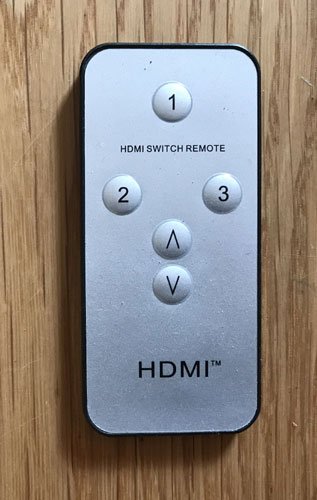
You will also need to change the HDMI output from the cupboard, using this HDMI Switch device shown below (you can also use the HDMI Switch remote, shown above), which will switch the output from Humax FreeSat to DVD player (both go to the TV via 1 cable; this is the switch between the 2). Press the button to switch between DVD and FreeSat.
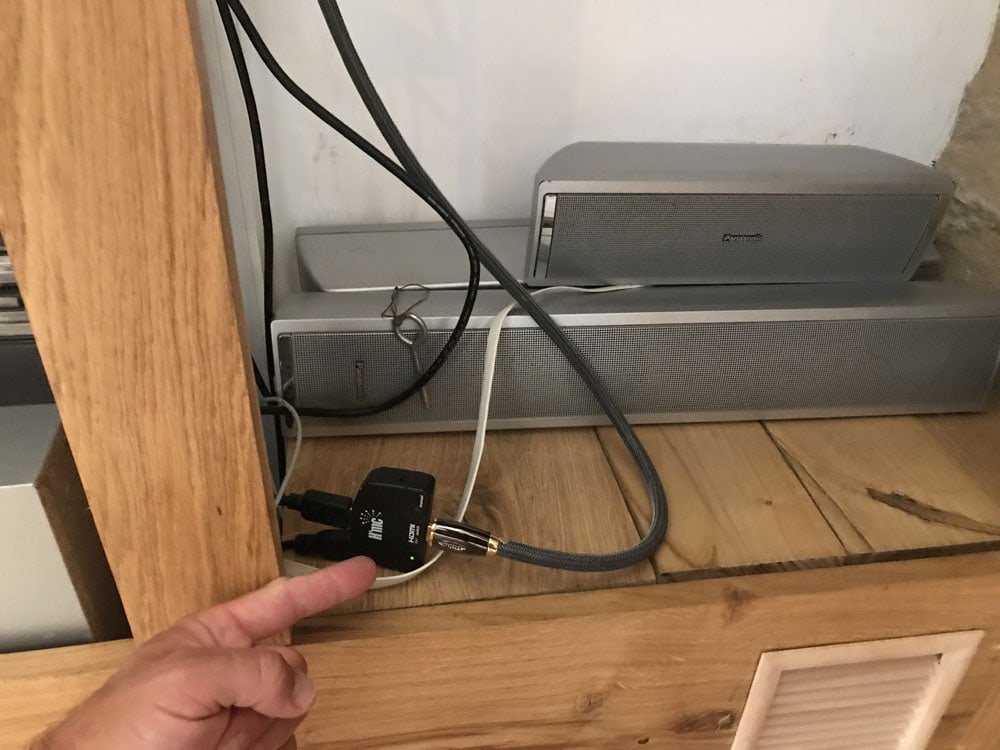
Specifically with DVDs, you can have the sound come through the sound system in the Media Cupboard, which is loud and impressive! For this, turn on the sound system and press “Input Selector” until it displays TV.
Sound System
To play music from your phone, turn on the sound system, press Input Selector a few times until the screen displays “Aux”.
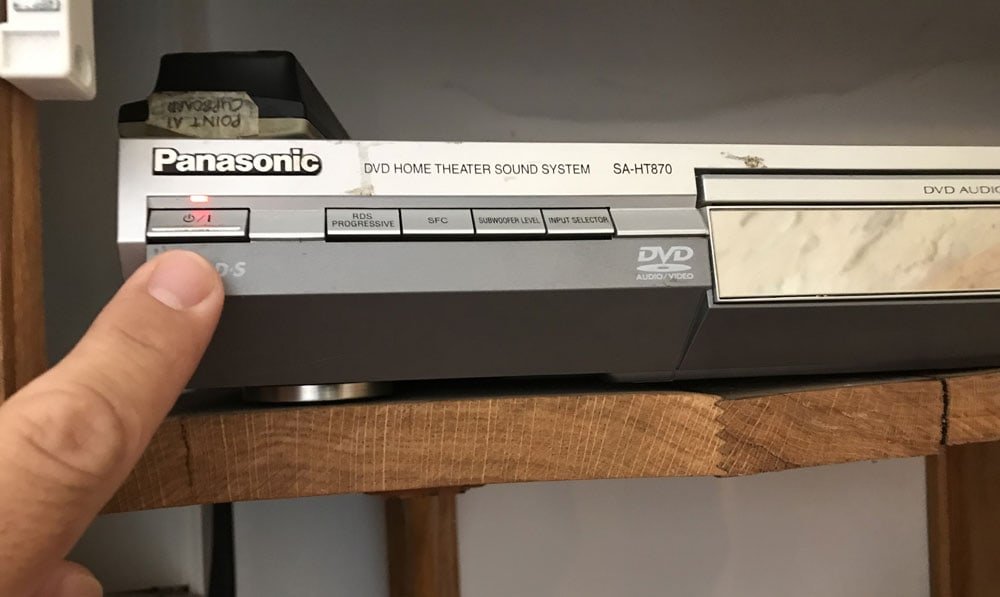
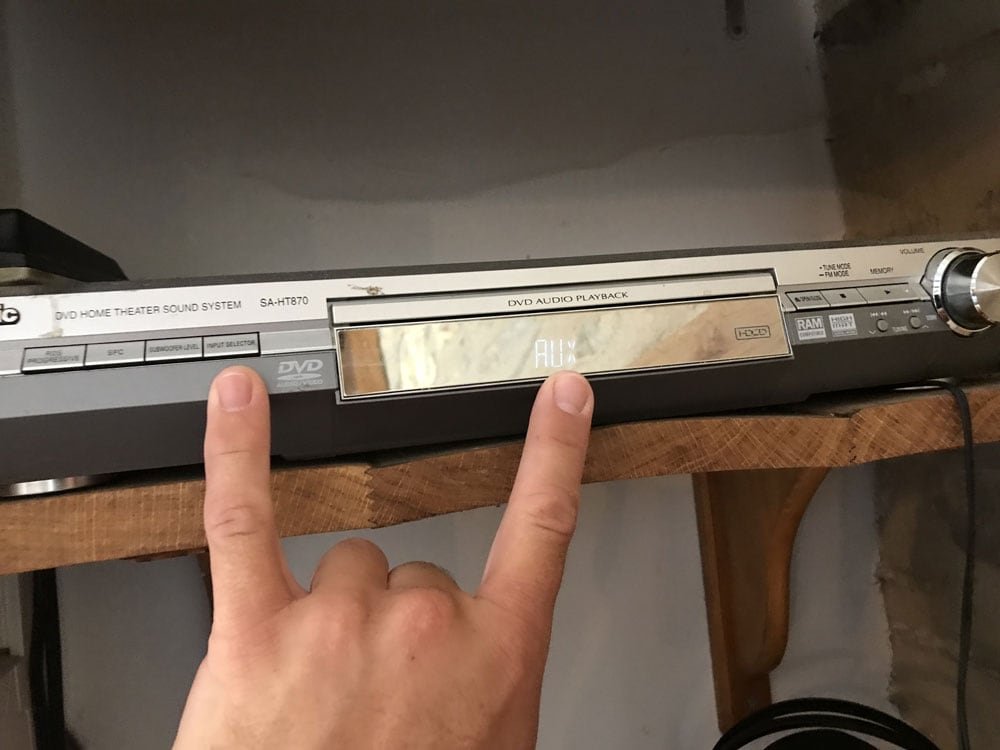
Then turn on the block rectangular Bluetooth dongle hanging down from the sound system – press and hold its button until you hear the second sound. Then pair your device with BR-C1.
You may also want to press “Subwoofer level” which is essentially the bass. Press this a few times to edit the bass level.
You can also play CDs (remember them?!)
Ready to Book? Contact us here to call or message us with any requirements you have, and to place your booking. Check availability here. Any problems or queries whatsoever, just call us here.


